Import LAS/LAZ from any source
Pix4D DJI Terra Agisoft Metashape RealityCapture DroneDeploy Trimble Leica FARO Riegl Velodyne Ouster Livox TopoDOT TerraSolid Global Mapper CloudCompare LAStools Autodesk ReCap Pix4D DJI Terra Agisoft Metashape RealityCapture DroneDeploy Trimble Leica FARO Riegl Velodyne Ouster Livox TopoDOT TerraSolid Global Mapper CloudCompare LAStools Autodesk ReCap

The Toolkit Every Surveyor Needs

At ImmersiveLogic, we believe Viizor should be part of every surveyor's and drone mapper's workflow — from local processing to cloud collaboration.

Viizor Desktop handles the private, secure side: process sensitive data locally, on your own machine, with full offline capability.

Viizor Web handles the public side: build a corporate online image where clients and prospects access your projects in real time. Show transparency. Show professionalism. Show your data.

Both apps. One subscription. Viizor Enterprise includes Viizor Desktop Unlimited and full access to Viizor Web — $75/month, billed annually ($900/year). The complete platform for professionals who need desktop power and cloud collaboration in the same workflow.

  • Desktop: Local & Private
  • Web: Online & Shared
  • Same Toolkit
Viizor Web cloud platform
Real-time shared 3D project

Your Clients Open a Link. Done.

Stop sending 5 GB ZIP files over email. Stop "can you re-export it as DXF?" emails. Generate a public link in one click and your client opens the full 3D project in their browser — desktop, tablet or phone.

Read-only access with full navigation, measurements, profiles and visualization modes. They see exactly what you see. Nothing to install.

Revoke instantly from your dashboard. Track view counts. Embed projects directly in your own website with an iframe (Enterprise plan).

  • Public Links
  • Mobile Ready
  • Revoke Anytime
  • Iframe Embed

Your Brand. Not Ours.

When clients open a shared project, they see your logo, your colors, your links — not ours. Build the corporate online image your business deserves.

1 to 3 rotating logos depending on plan. Add links to your website, portfolio, contact form. Every shared link reinforces your brand.

White-label mode on Enterprise: full custom branding, no Viizor mention required.

  • Custom Logos
  • Branded Links
  • White Label
Branded shared project
Project version timeline

Versions, Not File Chaos

Forget project_v3_FINAL_FINAL_revisedClient.las. Viizor Web has a full versioning system built in. Every version captures the entire viewer state: camera, visible clouds, measurements, profiles, classifications.

Switch between versions with one click. Share specific versions with specific clients. Roll back. Compare. Each version has its own share link.

Show your client v1 last week, v2 today. Same project, different snapshots, perfect transparency.

  • Snapshots
  • Rollback
  • Per-Version Links

9 Visualization Modes. One Click Each.

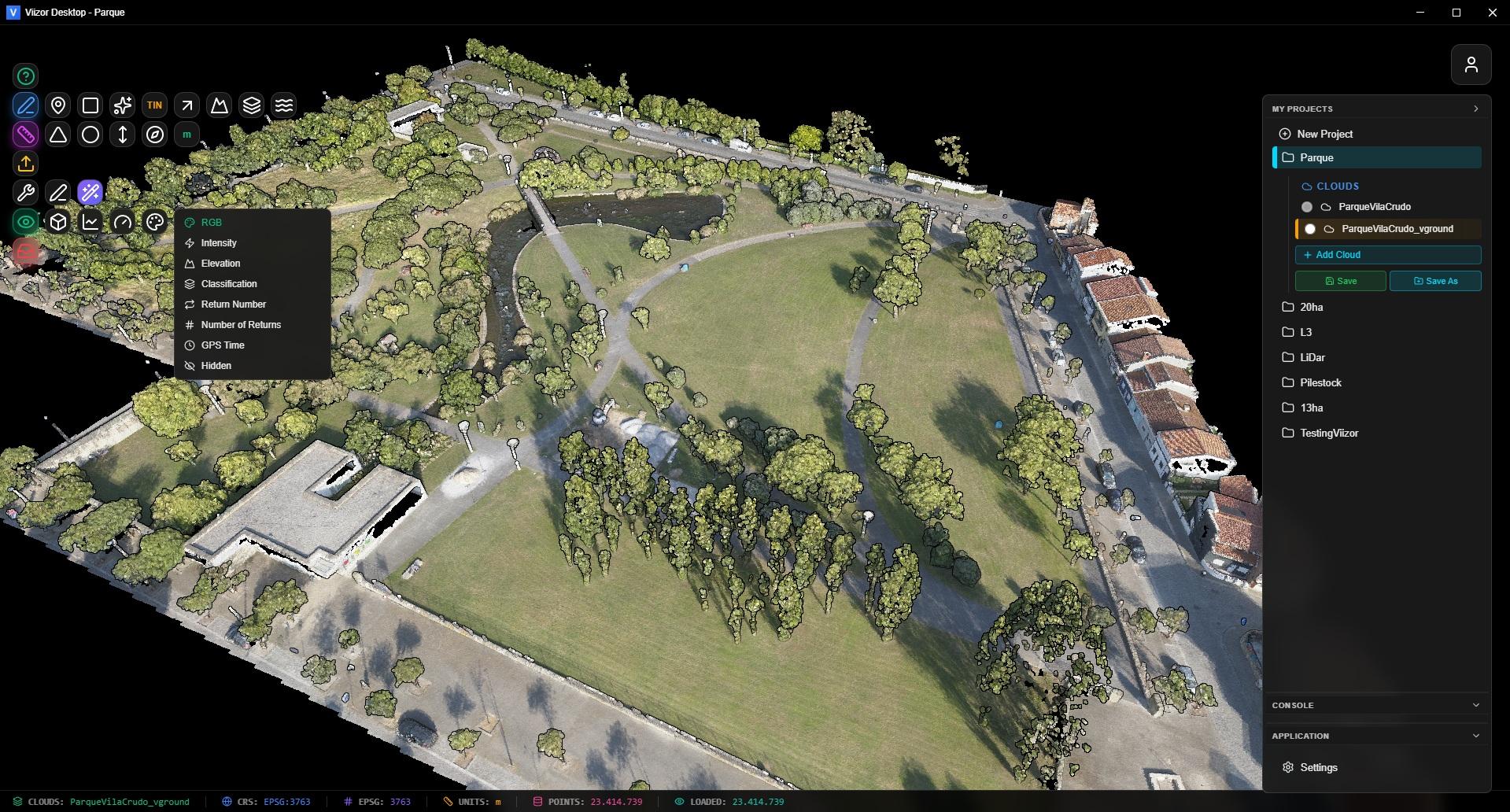
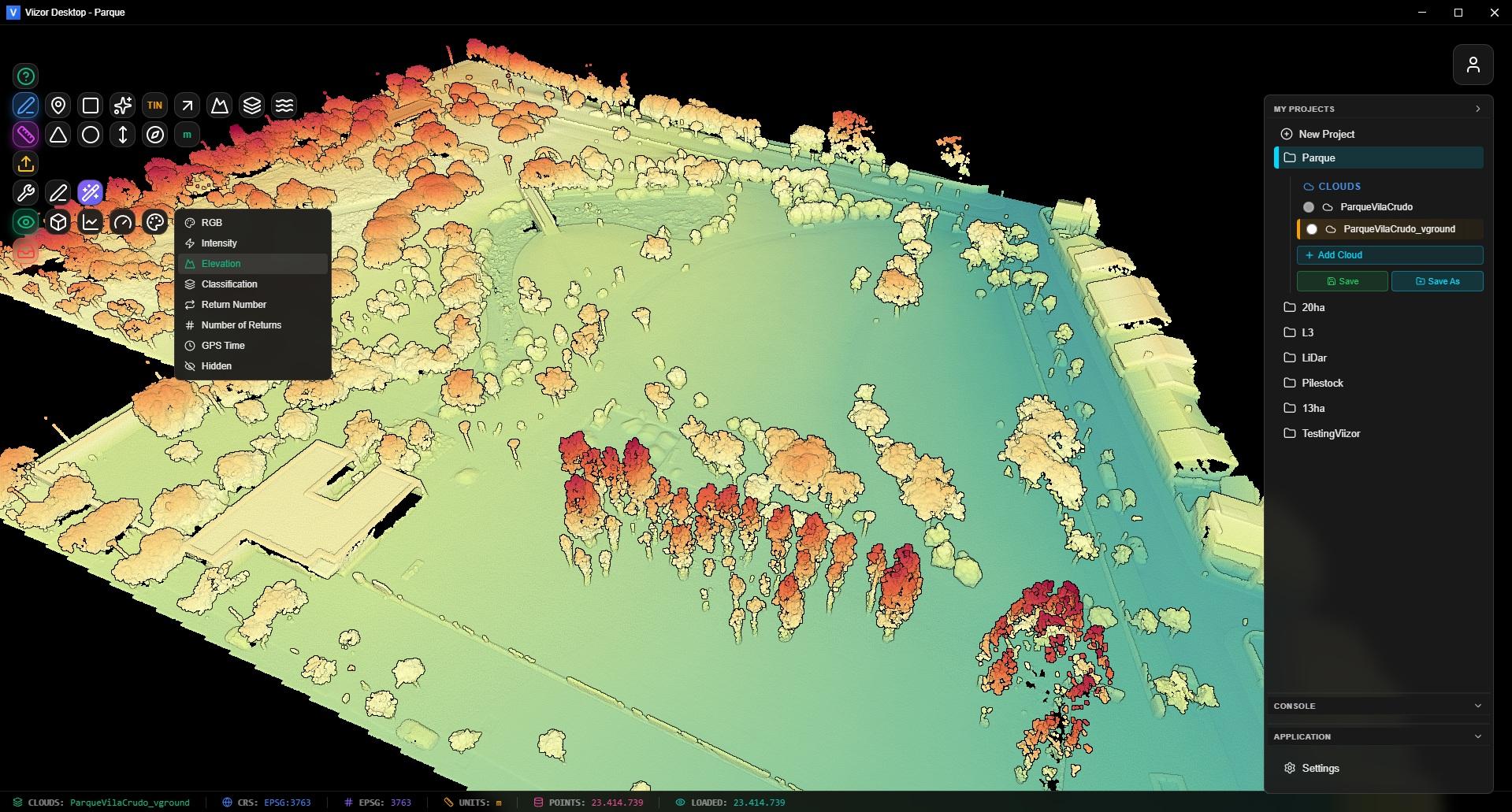
Optimized Potree-based engine handles massive point clouds in the browser. Up to 7.5 million points on screen with EDL (Eye Dome Lighting) for crisp depth perception.

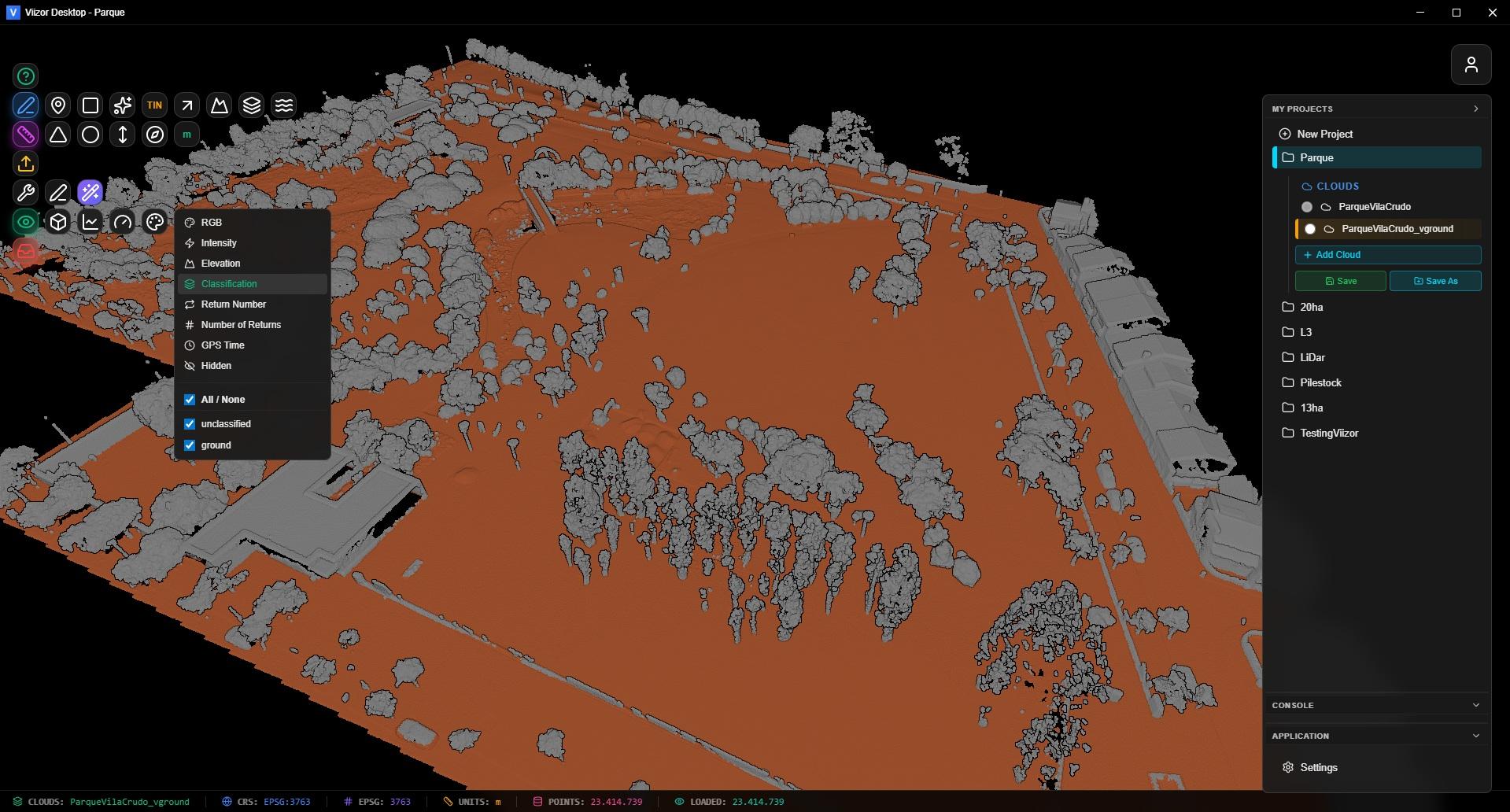
RGB, Intensity, Elevation, Classification (ASPRS), Return Number, Number of Returns, Source ID, GPS Time, Hidden. Switch between any of them instantly without re-uploading.

Auto unit detection from LAS metadata: meters, US survey feet, international feet. The viewer adapts; you don't think about it.

  • 9 Modes
  • EDL Lighting
  • Auto Units
  • 7.5M Points
Viizor 9 visualization modes
Stockpile volume calculation

Stockpile Volumes & Tonnage

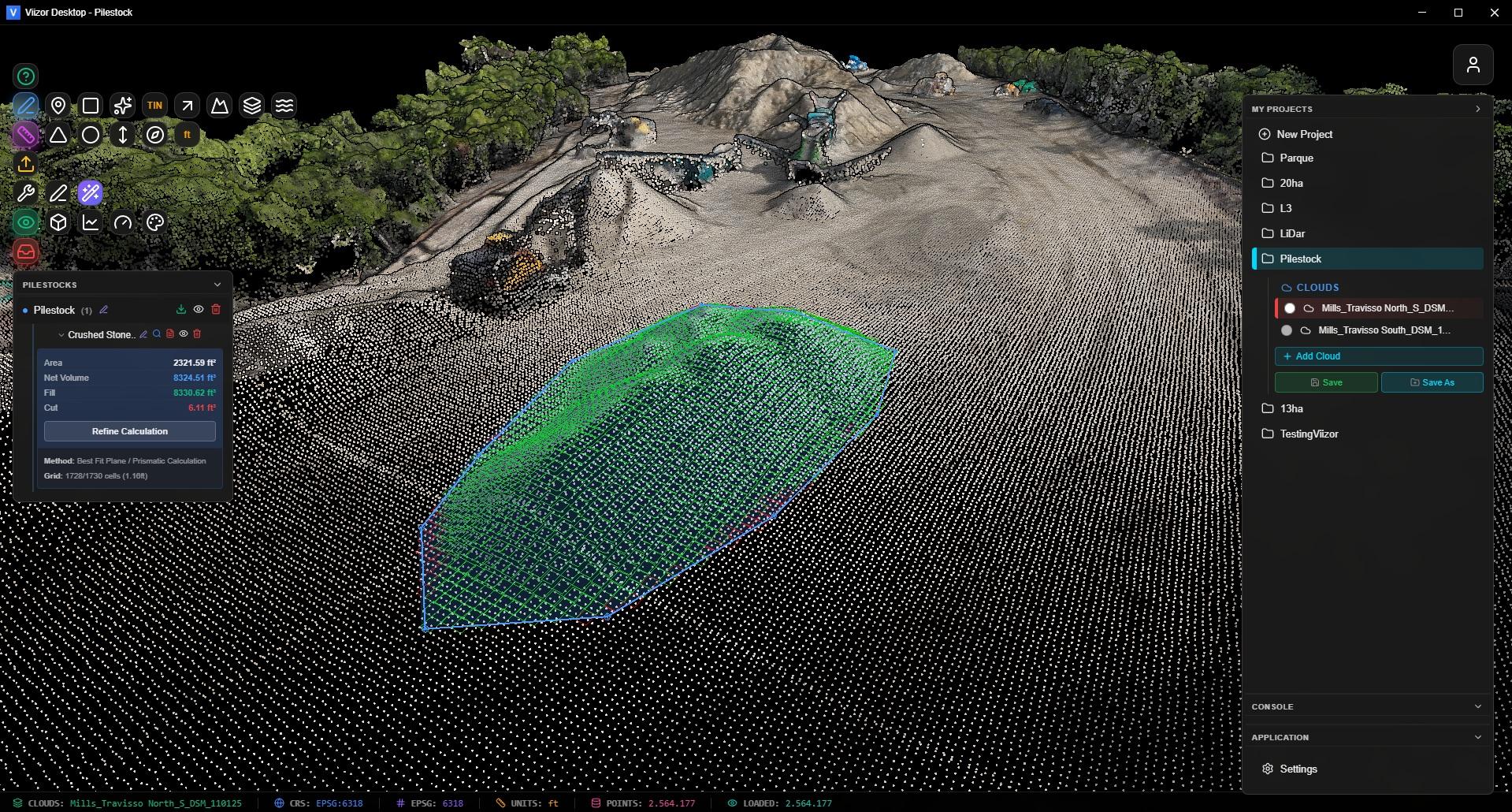
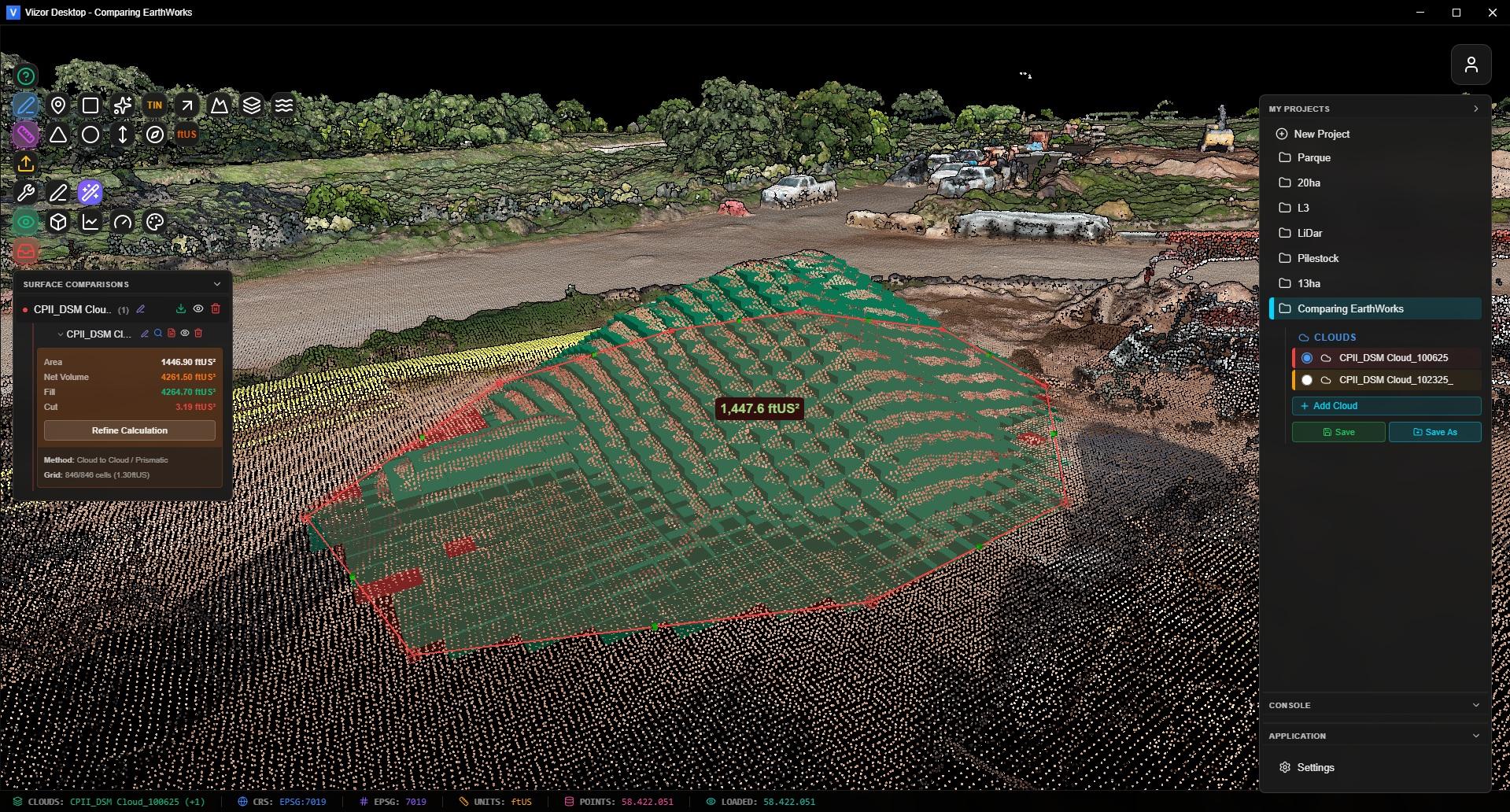
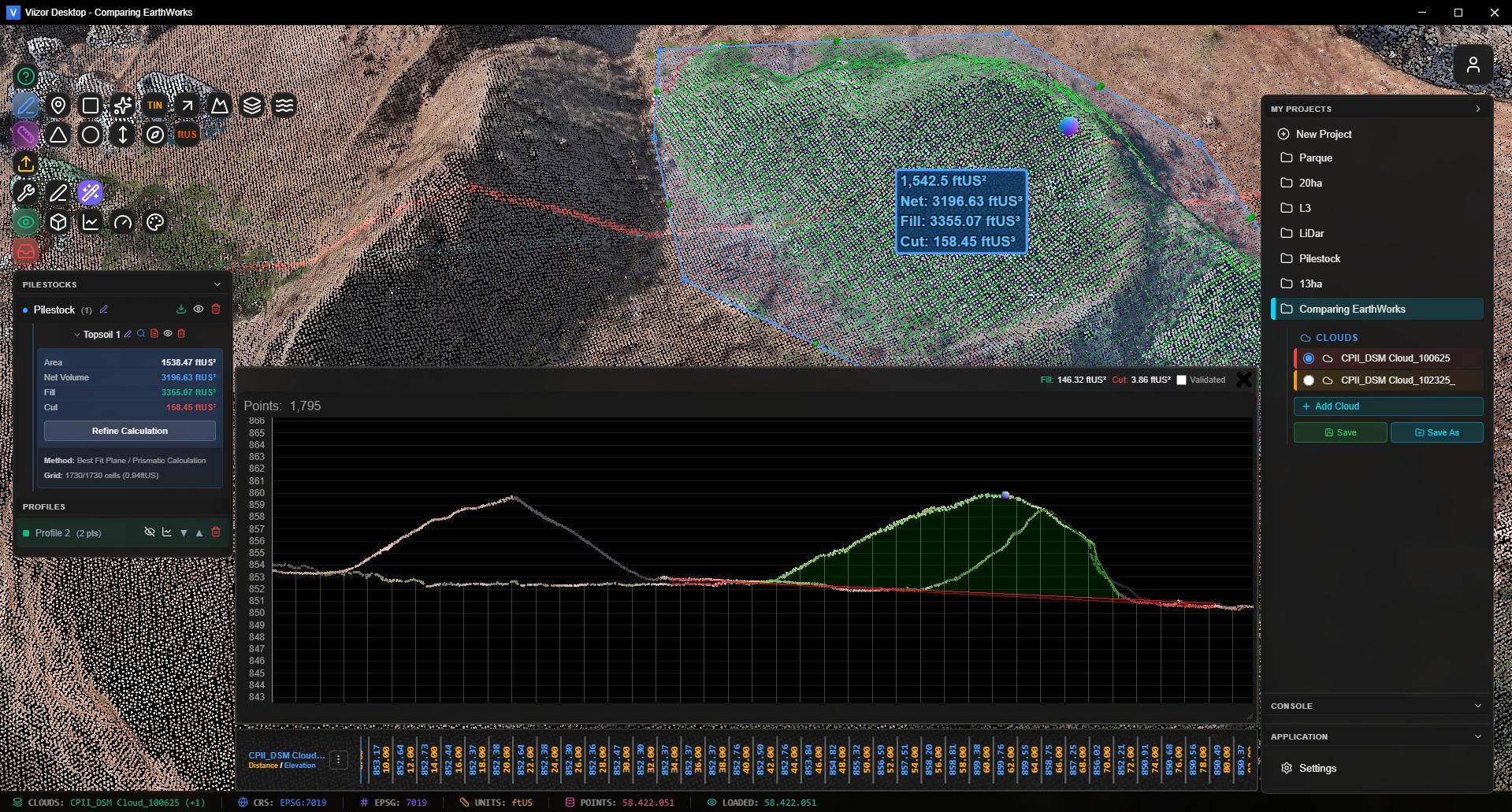
Draw a polygon. Get the volume. The Volumes tool uses the prism method with a Best Fit Plane base, so irregular terrain doesn't ruin your numbers.

Choose from 70+ material densities — crushed stone, sand, gravel, topsoil, coal, ores — and get tonnage automatically. A 10% density error is a 10% payment error; we handle the math.

Cut/Fill comparison between two surfaces or two project versions. Color-coded visualization shows exactly where material was added or removed.

  • 70+ Densities
  • Tonnage
  • Cut/Fill
  • Best Fit Plane
ASPRS point classification

ASPRS Classification + Filters

View, filter and isolate any of the standard ASPRS classes: ground, low/medium/high vegetation, building, water, noise, and more. Show only what matters for the analysis at hand.

Hide classes you don't need, then run measurements, profiles or volumes only on the visible points. Clean DTMs without exporting to another tool.

  • ASPRS Classes
  • Class Filters
  • Hide / Show

Professional Survey Tools, In the Browser

Survey points tool

Survey Points

Click to mark points on the cloud. Group by description. Export as P,E,N,Z,D TXT ready for Civil 3D import. Lasso select for bulk operations.

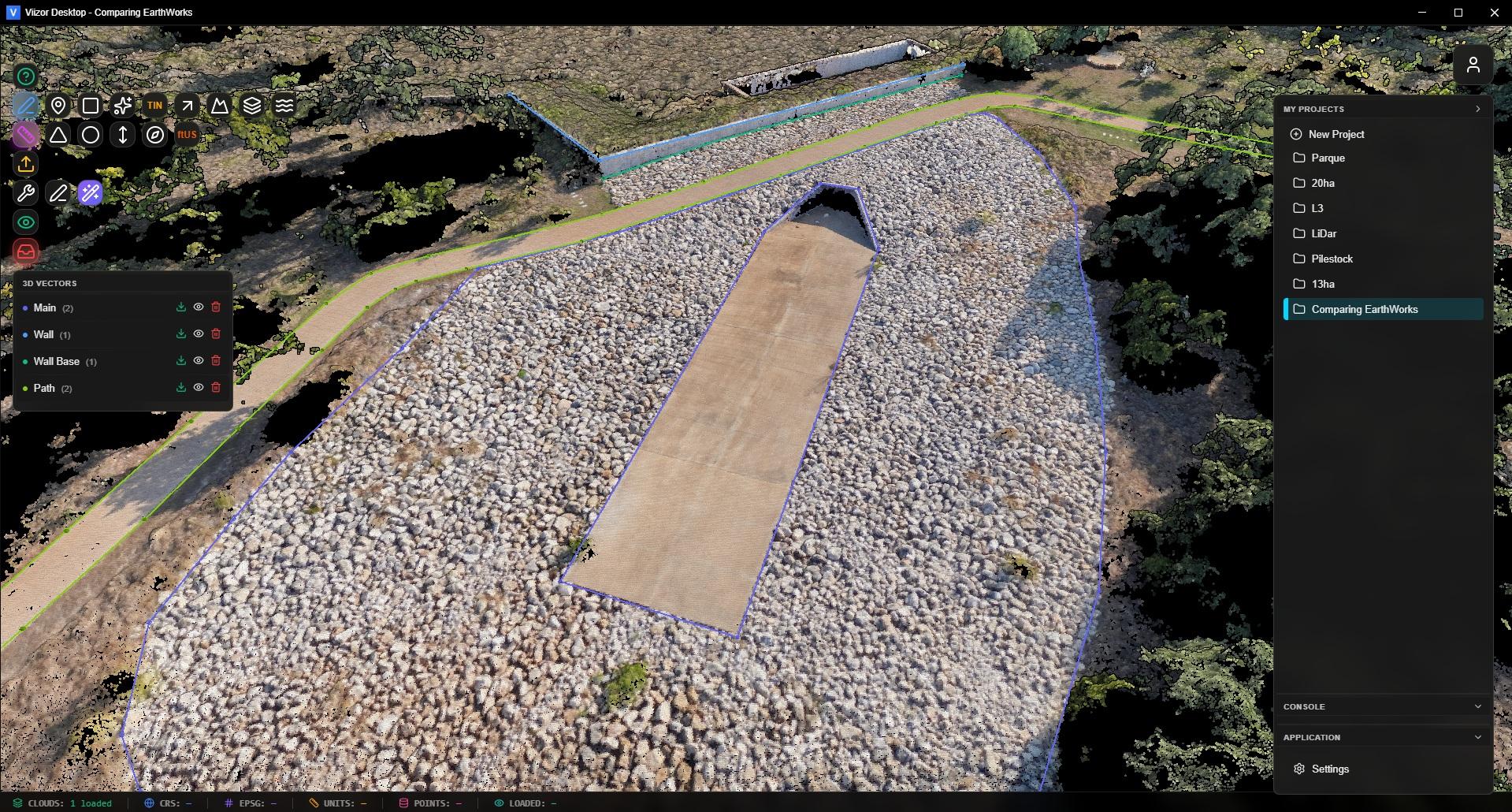
3D vectors and polylines

3D Vectors & Polylines

Draw breaklines, roads, boundaries with unlimited vertices. Export to DXF with real-world coordinates. Insert midpoints with one click.

2D profile tool

2D Profiles & Sections

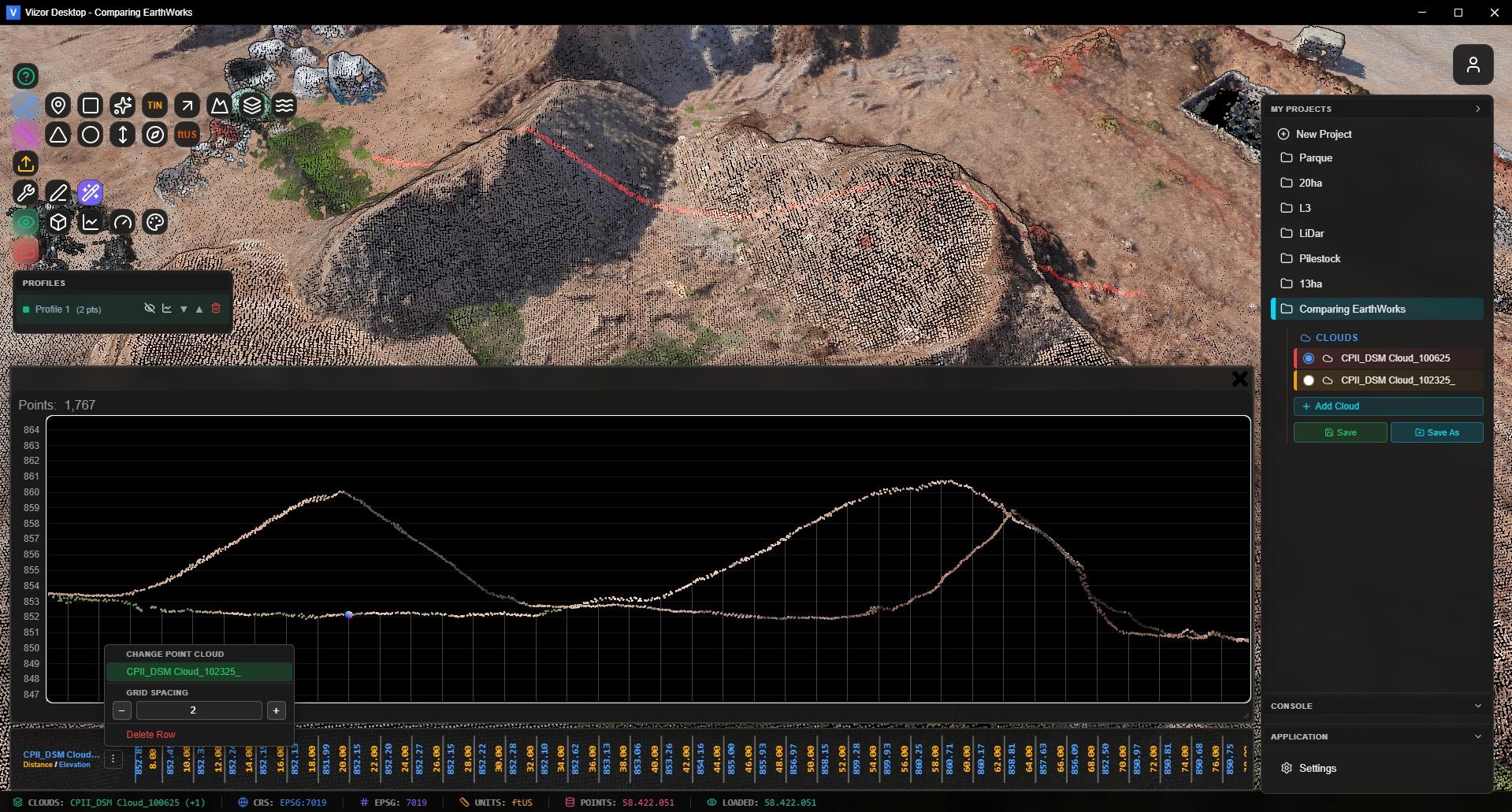
Draw a line, get a 2D profile. Multi-section system generates parallel cross-sections. Compare elevations, extract distances, plan earthwork.

Areas of interest tool

Areas of Interest (AOI)

Closed polygons with automatic area calculation. Group AOIs by category. Export as DXF or KML for GIS workflows.

TIN surface generation

TIN Surfaces

Delaunay triangulation directly in the browser. Generate contour lines. Export TINs as LandXML 1.2 surfaces ready for Civil 3D and Carlson.

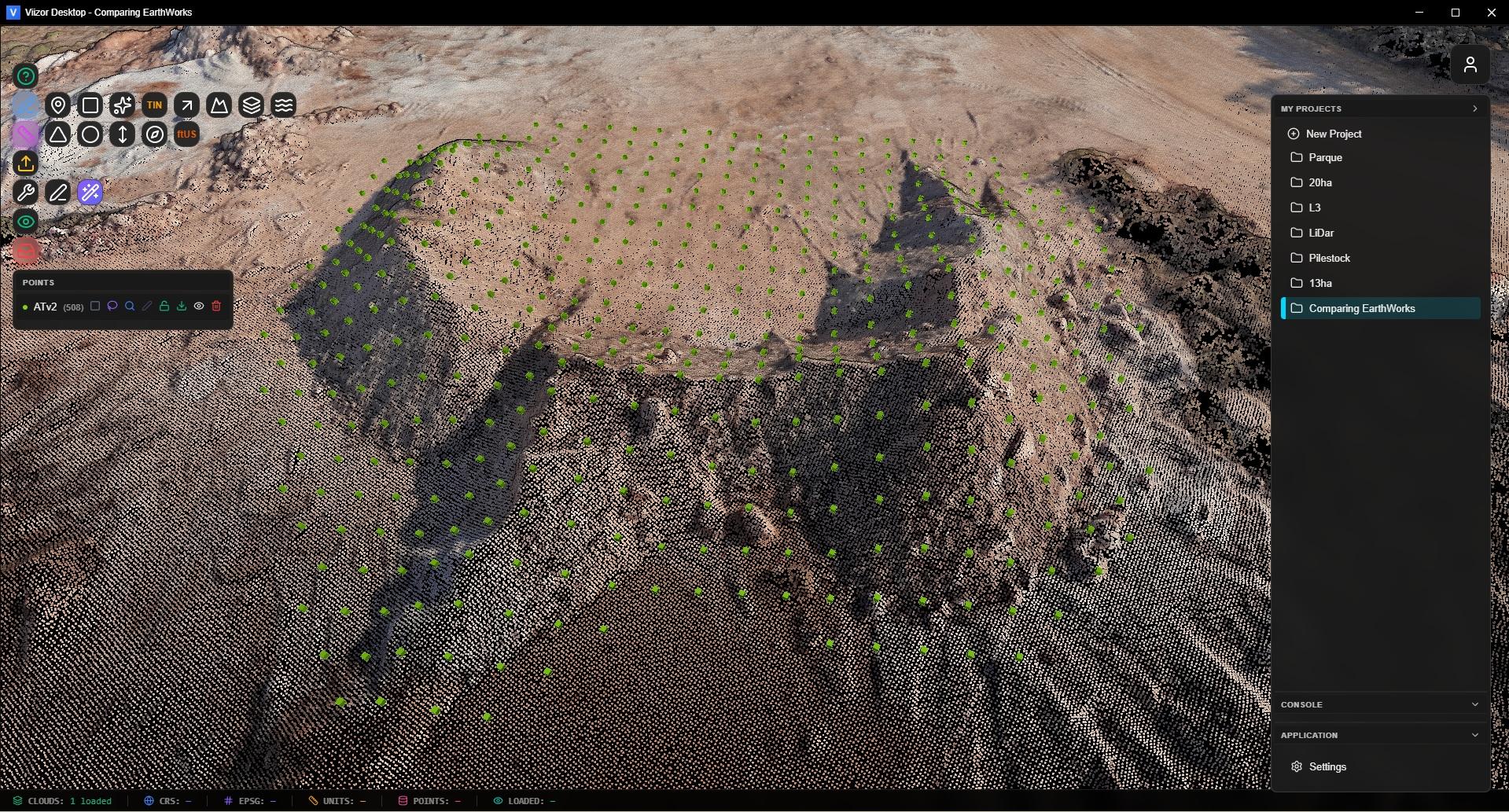
Sparks auto topo grid

Sparks: Auto Topo Grid

Generate a regular grid of survey points automatically. Configurable spacing, classification filter. Survey-ready coordinates without clicking each point.

Advanced measurements

Advanced Measurements

Distances, angles, height, azimuth, slope, circles, areas. Every measurement persists with the project version, ready for review and sharing.

Survey photos georeferenced

Georeferenced Photos

Upload field photos with EXIF GPS. They appear placed in 3D space alongside the cloud. Click to view full size. Document your site visually. (Enterprise)

Clipping boxes

Clipping Boxes

Isolate any region of the cloud with a 3D clipping box. Inspect interiors of buildings, tunnels, structures. Hide everything outside the box.

Built for the CAD Workflow

Your client doesn't want a screenshot — they want surfaces and lines they can design against. Viizor Web speaks the formats your CAD team already uses.

LandXML 1.2 — TIN surfaces with vertices and faces. Direct import to Civil 3D, Carlson, MicroStation, Trimble Business Center.

DXF — 3D polylines, contours, polygons with real-world coordinates.

TXT (P,E,N,Z,D) — Survey points ready for Civil 3D point import.

KML / KMZ — Geometries ready for Google Earth and GIS tools.

  • LandXML
  • DXF
  • TXT
  • KML/KMZ
Export to Civil 3D and CAD
Team collaboration

Bring Your Team. Bring Specialists.

Invite colleagues or hire specialists from the Viizor directory. Send a Project Brief as reference; the collaborator creates their own derived versions and works on top of your data.

Track progress with status badges (In Progress, Ready for Review). Mark work as complete to start a 7-day review period. Mandatory mutual reviews keep quality high.

5 collaborators on Starter, 15 on Pro, unlimited on Enterprise. Storage is debited from the project owner's quota.

  • Invite Team
  • Find Specialists
  • Reviews
  • Status Tracking

Built for Real Field Work

Topographic Survey

Deliver topographic data online. Clients explore the terrain in 3D, run their own measurements, and download the points/DXF when ready. No more "can you export this section?" emails.

Drone Mapping

Upload your photogrammetry/LiDAR output, share an online viewer with the client the same day. Showcase your professionalism before the deliverables even land in their inbox.

Mining & Stockpiles

Monthly stockpile inventories with versioning. Compare last month vs this month, generate cut/fill, calculate tonnage with the right material density. Audit-ready.

Construction Progress

Weekly site captures. Each upload is a new project version. Show the client exactly how the site evolved — week by week, in 3D, in their browser.

Road & Infrastructure

Run cross-sections along an alignment. Export to LandXML for Civil 3D. Share the live model with the design team and the contractor at once.

Heritage & Architecture

Document buildings, monuments, archaeological sites. Use clipping boxes to inspect interiors. Share with stakeholders worldwide, no specialist software required.

Forestry & Vegetation

Use ASPRS classification filters to isolate vegetation, measure canopy height, estimate biomass. Hide returns you don't need with a single click.

Hydrology & Drainage

Run profiles across river beds and drainage channels. Compare pre/post flood. Generate contour lines from TINs to plan flow paths.

Industrial Inspection

Inspect plants, towers, silos. Use clipping boxes, georeferenced photos and detailed measurements to document conditions for maintenance reports.

Mobile-Ready. Sign In With Google.

Mobile viewer auto-detects phones and tablets, optimized for touch: pinch-zoom, double-tap, long-press. Your clients can review the project from a job site without a laptop.

Passwordless auth: Google Sign-In or Magic Link by email. Cloudflare Turnstile protection. No passwords to forget, no leaks to worry about.

Multilingual interface: English, Spanish, Portuguese, French. The Viizor Assistant chatbot answers in your language.

  • Mobile Viewer
  • Google Sign-In
  • 4 Languages
  • Turnstile
Mobile viewer and authentication

Plans & Pricing

Start free. Upgrade when your business grows. Every paid plan includes a 10-day Enterprise trial on signup — no credit card required.

All prices billed annually. Monthly billing available at checkout.

Free

$0

forever

no card required

  • 1.5 GB storage
  • 200 MB max file size
  • 180-day retention
  • Full viewer & tools
  • Public sharing links
  • 1 logo branding
  • Community support
Get Started

Starter

$440

per year

$37/month, billed annually

  • 100 GB storage
  • 1 GB max file size
  • 365-day retention
  • Up to 5 collaborators
  • Project versioning
  • 2 logos branding
  • Email support
Start Free Trial

Pro

$600

per year

$50/month, billed annually

  • 300 GB storage
  • Unlimited file size
  • Up to 15 collaborators
  • Advanced versioning
  • 3 logos branding
  • API access
  • Priority email support
Start Free Trial

All plans include the full Viizor Web feature set — visualization, measurements, profiles, volumes, classification, sharing, mobile viewer.

Try It. Show Your Work. Decide Later.

10-day Enterprise trial. Free plan forever. No credit card.
Upload your biggest file and share the link with a client today.

Free to start. Upgrade when ready.

6 demo point clouds available without signup.

Runs in any modern browser • No installs • Mobile ready

Questions? hello@viizor.app

Free forever plan + 10-day Enterprise trial. No credit card.
Start Free View Plans